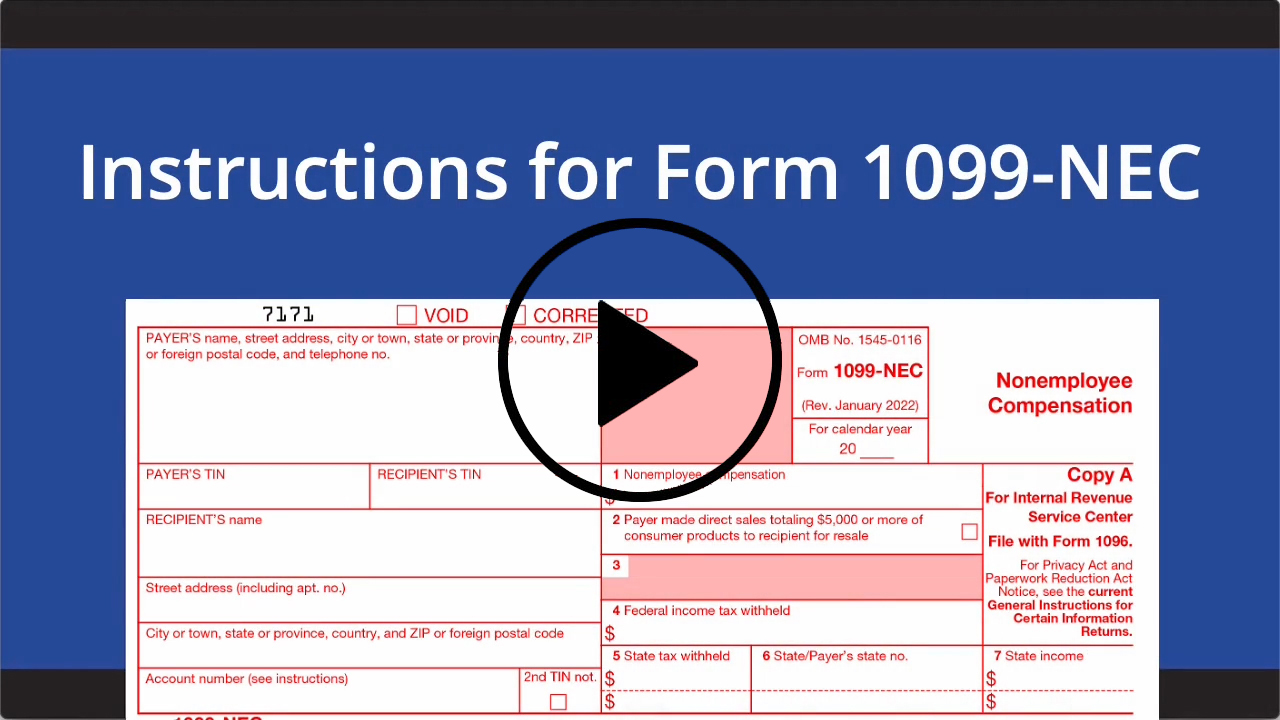
Form 1099-NEC Instructions & Tax Reporting Pointers

Form 1099-NEC is an IRS information return that has multiple uses. It is used by businesses to report payments made to nonemployees, such as independent contractors, freelancers, gig workers and service providers. Typically required when payments reach an applicable threshold or more during the calendar year. Introduced to separate contractor payments from Form 1099-MISC payments, it plays a key role in tracking self-employment income. Additionally, the form is utilized to report specific transactions, including direct sales of $5,000 or more of consumer goods for resale, as well as specialized compensation like excess golden parachute payments. Filing and furnishing it ensures accurate reporting of nonemployee and special categories of compensation for both the IRS and recipients. Businesses must furnish copies to recipients and file with the IRS by the required deadline to remain compliant and avoid penalties.
Beginning in 2026, the 1099-NEC started being used to report payments of $2,000 or more to service providers — typically work done by an independent contractor who is a sole proprietor or member of a partnership. Examples include graphic designers, Web developers, cleaning professionals, freelance writers, landscapers and other self-employed individuals. Basically, the 1099-NEC form is to independent contractors what the W-2 is to employees.
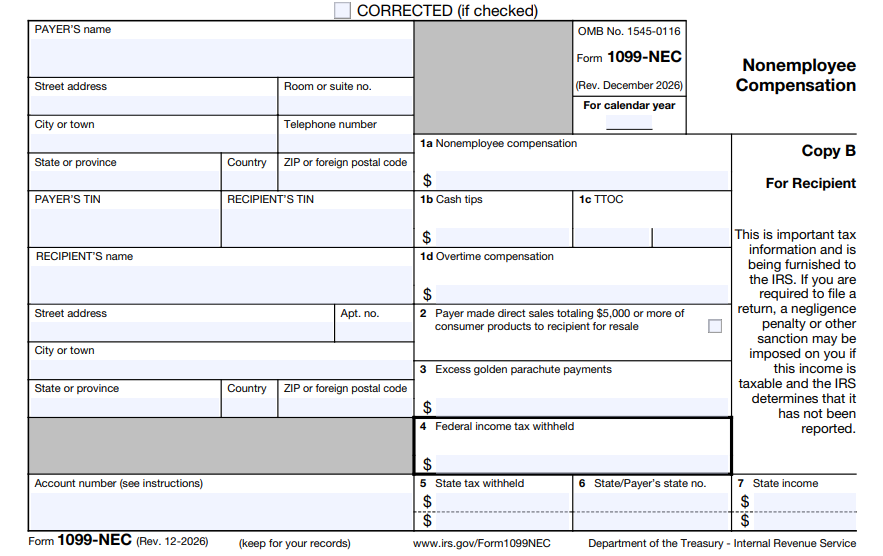
The 1099-NEC captures non-employee compensation, qualified overtime, cash tips, up to two Treasury Tipped Occupation Codes (TTOC) and excess golden parachute payments, in addition to documenting that you didn’t deduct any federal, state or other taxes. Unlike employees with W-2s, independent contractors get their full pay without any automatic deductions. It is the contractor’s responsibility to track and pay applicable taxes including any federal, state or local income tax and self-employment tax.
Starting in 2025, as part of increased scrutiny over non-employee compensation, the IRS reassigned excess golden parachute payments from Form 1099-MISC to Form 1099-NEC. Because these payments function as executive compensation rather than miscellaneous income, they are now officially reported in Box 3 of Form 1099-NEC.
To complete a 1099-NEC, you'll need to supply the following data:
Business information – Your business' unique federal identification number, which can be an Employer Identification Number (EIN) or your Social Security Number (SSN), your business name, your business address and telephone number.
Recipient's ID Number – The recipient's Social Security Number (SSN), Individual Taxpayer Identification Number (ITIN), Adoption Taxpayer Identification Number (ATIN), or Employer Identification Number (EIN).
Report Sales – Use Box 2 (or Box 7 on the 1099-MISC) to report that you made direct sales to a recipient totaling $5,000 or more of consumer products for resale, on buy-sell, deposit-commission, or any other basis.
Payment Amounts – Enter nonemployee compensation amounts paid in Box 1a. Enter Cash Tips and up to 2 Treasury Tipped Occupation codes (TTOC) in Box 1b and 1c. Enter qualified overtime compensation in Box 1d. Enter Excess golden parachute payments in Box 3.
Federal Income Tax Withheld – Enter any amounts of federal income tax withheld from payment in Box 4. (You'll use this if you’re sending a 1099-NEC to an individual who refused to provide a W-9 or TIN. Typically known as backup withholding, the federal government may require you to withhold a fixed rate of 24% of the money you paid and send it the IRS.)
There may be instances in which you need to provide both a 1099-MISC and 1099-NEC to the same individual, for example, if you paid an individual for two entirely different types of transactions: one for independent contractor services and one for miscellaneous income like rent or prizes. If you are unsure, it's always best to consult a tax professional to determine any filing obligation in order to remain compliant.
Get more tips on how to determine who gets a 1099-NEC form here.

Our free e-guide includes everything you need to know to legally and effectively work with independent contractors.
Get additional information on completing a 1099-NEC form here.
The 1099-NEC is a multi-part form that is handled as follows:
Copy A — File with IRS by the paper or electronic-filing deadline.
Copy 1/State Copy — File with the appropriate state taxing authority, if applicable.
Copy B — Distribute this copy to individuals, who then file it with their federal income tax return. It must be delivered by January 31. You will meet the IRS’ distribution requirement if the form is properly addressed and mailed on or before this due date.
Copy 2 — Distribute this copy to individuals. If applicable, individuals will then file this copy with their state taxing authority. Again, it generally must be delivered by January 31.
NOTE: When the due date falls on a weekend or legal holiday, the form due date is moved to the next business day.

How do you file your information returns? If you’re using paper forms or software, you’re spending way more time and effort than needed.
Whether you’re filing one form or a hundred, doing it online is a much more efficient, streamlined process. Say goodbye to the time-consuming task of filling out paper forms manually or downloading and navigating software. With cloud-based e-filing, you just enter or upload your data and the e-file provider processes, prints, mails and files for you. You’ll enjoy secure and accurate 1099 filings, as well as greater flexibility and convenience. Everything is at your fingertips and easily accessible — anytime, anywhere.
Form 1099-NEC is primarily used to report payments made to nonemployees for services performed during the year. It typically applies to independent contractors, freelancers, and other self-employed individuals who are not employees. It is also used to capture certain special categories of compensation, namely excess golden parachute payments.
A 1099-NEC is generally required when a business pays the applicable threshold or more to a nonemployee for services during the calendar year. This applies to payments made in the course of business, not for personal expenses. Also required if the taxpayer received any amount of excess golden parachute payments.
To complete a 1099-NEC, you’ll need basic business details like your EIN or TIN (taxpayer identification number), along with the recipient’s name, address, and TIN. You’ll also need to report the total amount paid for services or amount of excess golden parachute payments and any federal income tax withheld.
The 1099-NEC is a multi-part form with several copies for different purposes. Copy A is filed with the IRS, Copy B is provided to the recipient to keep for their records and for use in completing their tax return. Copy 2 may be furnished if required for state filing, where applicable.
A 1099-NEC is used for nonemployees who are responsible for their own taxes, while a W-2 is used for employees whose taxes are withheld by the employer. Independent contractors receive their full payment and handle their own tax reporting based on the information provided on the 1099-NEC.
Updated: 10/28/2026
Free to try.
You only pay when you're ready to file.